When enterprises decide to modernize their legacy data infrastructure — whether it is an Oracle data warehouse, Informatica ETL stack, SAS analytics platform, Teradata appliance, or mainframe-based reporting system — the first strategic question is: what is the target platform? Over the past several years, Databricks has emerged as the leading destination for enterprise legacy migration projects. Not because it is the newest platform, but because it solves a specific set of problems that legacy platforms create: the proliferation of disconnected tools, the cost of running separate systems for ETL, warehousing, analytics, and machine learning, and the governance challenges that come from data scattered across dozens of platforms.
This article examines why enterprises are choosing Databricks as their migration target. This is not a source-to-target migration guide for any specific platform. Instead, it is an analysis of the architectural, economic, and organizational factors that make Databricks compelling for organizations leaving legacy systems behind. We cover the lakehouse architecture, Delta Lake, Unity Catalog, PySpark, Databricks SQL, MLflow, Spark Structured Streaming, Auto Loader, the Photon engine, Delta Live Tables, Databricks Workflows, multi-cloud deployment, and cost optimization strategies.
The Lakehouse Architecture: Why It Matters for Migration
For decades, enterprises have operated with a two-system architecture: a data lake for cheap, scalable storage of raw data, and a data warehouse for structured, governed analytics. This duality creates fundamental problems. Data is duplicated between systems. ETL pipelines shuttle data from lake to warehouse and back. Governance is fragmented — access controls in the warehouse do not apply to the lake, and vice versa. Data engineers work in one tool, analysts in another, and data scientists in a third. The result is an expensive, fragile, and slow data infrastructure.
The Databricks Lakehouse architecture eliminates this duality by combining the best properties of data lakes and data warehouses into a single platform. Data lives in open-format Delta Lake tables on cloud object storage, providing the scalability and cost-efficiency of a data lake. Delta Lake adds ACID transactions, schema enforcement, and time travel, providing the reliability and structure of a data warehouse. PySpark, Databricks SQL, and MLflow all operate on the same data, eliminating data movement between systems.
What the Lakehouse Replaces
For a typical enterprise running a legacy stack, the lakehouse replaces multiple components simultaneously:
- Data warehouse (Oracle, Teradata, Netezza, SQL Server) — Delta Lake tables serve as the warehouse layer with ACID transactions, schema enforcement, and SQL access through Databricks SQL.
- ETL platform (Informatica, DataStage, Talend, SSIS) — PySpark notebooks and Delta Live Tables handle data transformation natively on the same platform where data resides.
- Analytics platform (SAS, SPSS, Cognos) — PySpark, Databricks SQL, and MLflow provide analytics and modeling capabilities directly on lakehouse data.
- Data lake (raw Hadoop, S3/ADLS file dump) — Delta Lake provides structure and governance over the same cloud storage, replacing unmanaged file dumps.
- Orchestration tool (Control-M, Autosys, cron) — Databricks Workflows provides native job orchestration with dependency management.
The most significant cost savings in a Databricks migration often come not from Databricks itself being cheaper than any single legacy tool, but from eliminating the licensing, integration, and operational costs of running five or six separate platforms. One platform replaces many.

Databricks — enterprise migration powered by MigryX
Delta Lake: ACID Transactions on Cloud Storage
Delta Lake is the storage layer that makes the lakehouse possible. It is an open-source storage format that adds transactional guarantees to data stored in Parquet files on cloud object storage. For enterprises migrating from traditional databases, Delta Lake provides the reliability guarantees they expect from Oracle or SQL Server, but on infinitely scalable cloud storage.
Key Delta Lake Capabilities
- ACID transactions — Every write to a Delta table is atomic. Multiple concurrent writers are coordinated through optimistic concurrency control. There are no partial writes, no dirty reads, and no corrupted tables from failed jobs.
- Time travel — Every change to a Delta table is versioned. You can query any previous version of the table by version number or timestamp. This replaces manual backup strategies and enables easy data recovery.
- Schema enforcement and evolution — Delta Lake rejects writes that do not match the table schema, preventing data corruption. Schema evolution allows controlled addition of new columns without breaking existing queries.
- MERGE (upserts) — Delta Lake supports SQL MERGE for insert/update/delete operations in a single atomic transaction. This is critical for slowly changing dimensions and incremental ETL patterns that enterprises rely on.
- OPTIMIZE and Z-ordering — Automatic data compaction and multi-dimensional clustering replace manual index management and partitioning strategies from legacy databases.
- Change Data Feed — Delta Lake can emit a stream of row-level changes (inserts, updates, deletes), enabling downstream consumers to process only what changed. This replaces CDC tools like Oracle GoldenGate or Attunity.
# Delta Lake time travel: query any previous version
# This capability has no equivalent in legacy data warehouses

# Query the current version of the table
current_df = spark.table("gold.customer_360")

# Query the table as it was 7 days ago
historical_df = (
    spark.read.format("delta")
    .option("timestampAsOf", "2026-04-01")
    .table("gold.customer_360")
)

# Query a specific version number
versioned_df = (
    spark.read.format("delta")
    .option("versionAsOf", 42)
    .table("gold.customer_360")
)

# Compare current vs. historical data (auditing, debugging)
changes = current_df.subtract(historical_df)
print(f"Rows changed since April 1: {changes.count()}")

# Restore a table to a previous version if needed
spark.sql("RESTORE TABLE gold.customer_360 TO VERSION AS OF 42")
MigryX: Idiomatic Code, Not Line-by-Line Translation
The difference between MigryX and manual migration is not just speed — it is code quality. MigryX generates idiomatic, platform-optimized code that leverages native features of your target platform. A SAS DATA step does not become a clunky row-by-row loop — it becomes a clean, vectorized DataFrame operation. A PROC SQL query does not become a literal translation — it becomes an optimized query that takes advantage of your platform’s pushdown capabilities.
Unity Catalog: Unified Governance Across All Data Assets
Governance is often the deciding factor in enterprise platform selection. Legacy environments typically have fragmented governance: database-level permissions in Oracle, file-level permissions in HDFS, tool-specific access controls in Informatica, and separate metadata catalogs that are never fully synchronized. Unity Catalog solves this by providing a single governance layer across all Databricks data assets.
Three-Level Namespace
Unity Catalog organizes all data into a three-level hierarchy: catalog.schema.table. This maps naturally to enterprise data organization patterns. A typical deployment might have catalogs for production, staging, and development, with schemas for bronze, silver, and gold within each.
Governance Features
| Governance Capability | Unity Catalog Feature | Legacy Equivalent |
|---|---|---|
| Fine-grained access control | Row-level and column-level security | Oracle VPD / Row-Level Security (complex setup) |
| Data lineage | Automatic column-level lineage tracking | Manual documentation or third-party tools (Collibra, Alation) |
| Data discovery | Search, tags, and comments on all assets | Separate metadata catalog (often stale) |
| Audit logging | Automatic audit log of all data access | Oracle Audit Trail / custom logging |
| Data sharing | Delta Sharing (open protocol) | Data extracts, FTP, APIs (fragile) |
| Identity federation | SCIM provisioning, SSO, external groups | Per-system user management |
| Secrets management | Databricks Secrets / Key Vault integration | Oracle Wallet / per-tool credential stores |
-- Unity Catalog: Governance in action

-- Grant access at schema level (inherited by all tables)
GRANT USAGE ON CATALOG production TO `data-engineering-team`;
GRANT SELECT ON SCHEMA production.gold TO `analytics-team`;

-- Column-level security: mask sensitive columns
CREATE FUNCTION production.mask_email(email STRING)
RETURNS STRING
RETURN CONCAT(LEFT(email, 2), '****@', SPLIT(email, '@')[1]);

ALTER TABLE production.gold.customers
ALTER COLUMN email SET MASK production.mask_email;

-- Row-level security: filter rows based on user context
CREATE FUNCTION production.region_filter(region STRING)
RETURNS BOOLEAN
RETURN (
    IS_ACCOUNT_GROUP_MEMBER('global-access')
    OR region = CURRENT_USER_ATTRIBUTE('region')
);

ALTER TABLE production.gold.sales
SET ROW FILTER production.region_filter ON (region);

-- Lineage is tracked automatically — no configuration needed
-- View in Unity Catalog UI: table → Lineage tab
-- Shows every upstream source and downstream consumer
Unity Catalog's automatic column-level lineage is a capability that most legacy environments simply do not have. When a regulator asks "where does this number in the quarterly report come from?", Unity Catalog can trace it from the gold-layer table through every silver and bronze transformation back to the source system, column by column, without any manual documentation.
PySpark: Scalable Data Engineering
PySpark is the primary programming interface for data engineering on Databricks. For enterprises migrating from legacy ETL tools or stored procedure-based transformations, PySpark represents a shift from GUI-based or SQL-only development to code-based, version-controlled data engineering. This shift enables practices that are standard in software engineering but difficult in legacy tools: unit testing, code review, CI/CD, and modular architecture.
Why PySpark Over SQL-Only Approaches
- Complex transformations — PySpark handles transformations that are difficult or impossible in SQL: machine learning feature engineering, complex string parsing, API calls, custom business logic with conditional branching.
- Testing — PySpark functions can be unit tested with pytest. SQL procedures in legacy databases are notoriously difficult to test in isolation.
- Version control — PySpark code lives in Git repositories. Legacy ETL tool configurations are typically stored in proprietary formats that do not integrate with standard version control.
- Reusability — Python modules and packages provide true code reuse. Legacy ETL tools offer "shared objects" or "reusable mappings" that are limited by the tool's architecture.
- Ecosystem — PySpark integrates with the entire Python ecosystem: pandas for small data, scikit-learn for ML, requests for APIs, Great Expectations for data quality.
# PySpark: Modular, testable data engineering
# This code can be unit tested, version controlled, and deployed via CI/CD

from pyspark.sql import DataFrame
from pyspark.sql import functions as F
from delta.tables import DeltaTable


def cleanse_customer_data(raw_df: DataFrame) -> DataFrame:
    """Cleanse raw customer data: standardize names, validate emails,
    remove duplicates. This function is unit-testable with sample data."""
    return (
        raw_df
        .withColumn("customer_name", F.initcap(F.trim(F.col("customer_name"))))
        .withColumn("email", F.lower(F.trim(F.col("email"))))
        .filter(F.col("email").rlike(r"^[a-z0-9._%+-]+@[a-z0-9.-]+\.[a-z]{2,}$"))
        .dropDuplicates(["email"])
        .withColumn("ingested_at", F.current_timestamp())
    )


def calculate_rfm_scores(orders_df: DataFrame) -> DataFrame:
    """Calculate Recency, Frequency, Monetary scores for customer segmentation.
    Replaces legacy SAS PROC or Oracle PL/SQL scoring procedures."""
    return (
        orders_df
        .groupBy("customer_id")
        .agg(
            F.datediff(F.current_date(), F.max("order_date")).alias("recency_days"),
            F.count("order_id").alias("frequency"),
            F.sum("order_total").alias("monetary")
        )
        .withColumn("r_score", F.ntile(5).over(
            Window.orderBy(F.col("recency_days").desc())))
        .withColumn("f_score", F.ntile(5).over(
            Window.orderBy("frequency")))
        .withColumn("m_score", F.ntile(5).over(
            Window.orderBy("monetary")))
        .withColumn("rfm_segment",
            F.concat(F.col("r_score"), F.col("f_score"), F.col("m_score")))
    )
Databricks SQL: Analyst-Friendly Business Intelligence
One of the most common concerns during migration is: "Will our SQL analysts be able to use the new platform?" Databricks SQL addresses this directly. It provides a SQL-native interface with a query editor, dashboards, alerts, and JDBC/ODBC connectivity that connects to any BI tool (Tableau, Power BI, Looker, ThoughtSpot). Analysts write standard SQL against Delta Lake tables without learning PySpark.
The Photon engine, Databricks' vectorized C++ query engine, accelerates SQL workloads by up to 12x compared to standard Spark SQL. Photon is fully compatible with Spark SQL semantics, so no query changes are needed. For enterprises migrating SQL-heavy workloads from Oracle, Teradata, or SQL Server, Databricks SQL with Photon provides comparable or better query performance on the same data that PySpark engineers use for ETL.
-- Databricks SQL: Standard SQL that analysts already know
-- Runs on Photon engine for high performance on Delta Lake tables

-- Query with window functions (identical to Oracle/Teradata SQL)
SELECT
    customer_id,
    order_date,
    order_total,
    SUM(order_total) OVER (
        PARTITION BY customer_id
        ORDER BY order_date
        ROWS BETWEEN UNBOUNDED PRECEDING AND CURRENT ROW
    ) AS running_total,
    RANK() OVER (
        PARTITION BY customer_id
        ORDER BY order_total DESC
    ) AS order_rank
FROM gold.customer_orders
WHERE order_date >= '2026-01-01';

-- Databricks SQL Warehouses auto-scale and auto-suspend
-- No DBA tuning needed — Photon optimizes automatically
MLflow: Machine Learning Lifecycle Management
For enterprises whose legacy migration includes analytical workloads — SAS models, SPSS scoring jobs, R scripts embedded in ETL pipelines — MLflow provides a complete ML lifecycle platform that runs natively on Databricks. MLflow tracks experiments, manages model versions, handles model deployment, and monitors model performance in production.
This matters for migration because many legacy systems embed machine learning or statistical models inside their ETL or analytics pipelines. SAS PROC LOGISTIC models, Oracle Data Mining procedures, and SPSS scoring services all need a new home. MLflow provides that home with full experiment tracking, model versioning, and one-click deployment to REST endpoints.
# MLflow: Track experiments and register models
# Replaces SAS Enterprise Miner, Oracle Data Mining, SPSS Modeler

import mlflow
import mlflow.spark
from pyspark.ml.classification import LogisticRegression
from pyspark.ml.feature import VectorAssembler
from pyspark.ml.evaluation import BinaryClassificationEvaluator

# Prepare features (replacing SAS DATA step + PROC LOGISTIC)
assembler = VectorAssembler(
    inputCols=["recency_days", "frequency", "monetary", "tenure_months"],
    outputCol="features"
)
training_data = assembler.transform(spark.table("gold.customer_features"))

# Train with MLflow tracking
with mlflow.start_run(run_name="churn_model_v3"):
    lr = LogisticRegression(
        featuresCol="features",
        labelCol="churned",
        maxIter=100,
        regParam=0.01
    )
    model = lr.fit(training_data)

    # Evaluate
    evaluator = BinaryClassificationEvaluator(labelCol="churned")
    auc = evaluator.evaluate(model.transform(training_data))

    # Log parameters, metrics, and model
    mlflow.log_param("max_iter", 100)
    mlflow.log_param("reg_param", 0.01)
    mlflow.log_metric("auc", auc)
    mlflow.spark.log_model(model, "churn_model")

    print(f"Model AUC: {auc:.4f}")

# Register the model for production deployment
mlflow.register_model(
    f"runs:/{mlflow.active_run().info.run_id}/churn_model",
    "production.ml.churn_predictor"
)
Spark Structured Streaming and Auto Loader
Legacy data platforms typically handle batch processing well but struggle with real-time or near-real-time data. Adding streaming to an Oracle or Teradata environment requires additional tools (Kafka Connect, Oracle GoldenGate, custom consumers). Databricks provides streaming natively through Spark Structured Streaming, and incremental file ingestion through Auto Loader.
Spark Structured Streaming
Structured Streaming uses the same DataFrame API as batch PySpark. A streaming query looks almost identical to a batch query, but it processes data continuously as it arrives. This unified batch-and-streaming model means the same business logic works for both historical backfills and real-time processing.
Auto Loader
Auto Loader is Databricks' solution for incrementally ingesting files from cloud storage. It automatically discovers new files, tracks which files have been processed, handles schema inference and evolution, and scales to millions of files. For enterprises migrating batch file-based ETL (flat file ingestion, CSV/XML processing), Auto Loader replaces custom file-detection scripts and manual tracking tables.
# Auto Loader: Incremental file ingestion from cloud storage
# Replaces: Oracle UTL_FILE + custom tracking, Informatica file source,
#           SSIS flat file connections, custom cron-based scripts

# Ingest new CSV files as they arrive in cloud storage
raw_stream = (
    spark.readStream
    .format("cloudFiles")
    .option("cloudFiles.format", "csv")
    .option("cloudFiles.schemaLocation", "/mnt/schema/transactions")
    .option("cloudFiles.inferColumnTypes", "true")
    .option("header", "true")
    .load("/mnt/landing/transactions/")
)

# Write to Bronze Delta table with automatic checkpointing
(
    raw_stream
    .withColumn("_ingested_at", F.current_timestamp())
    .withColumn("_source_file", F.input_file_name())
    .writeStream
    .format("delta")
    .option("checkpointLocation", "/mnt/checkpoints/transactions")
    .option("mergeSchema", "true")
    .trigger(availableNow=True)  # Process all available files, then stop
    .toTable("bronze.raw_transactions")
)

# Auto Loader benefits over legacy approaches:
# - Automatic file discovery (no cron scripts or polling)
# - Exactly-once processing (checkpoint-based deduplication)
# - Schema evolution (new columns handled automatically)
# - Scales to millions of files without performance degradation
Multi-Cloud Deployment
Databricks runs on all three major cloud providers: AWS, Azure, and GCP. This is a significant factor for enterprises with multi-cloud strategies or those that want to avoid single-cloud lock-in. The same Databricks workspace, notebooks, workflows, and Unity Catalog work identically across clouds. For enterprises migrating from on-premise legacy platforms, multi-cloud support means they can choose the cloud provider that best fits their existing infrastructure and negotiated pricing.
| Cloud Provider | Databricks Integration | Storage | Identity |
|---|---|---|---|
| AWS | Databricks on AWS | S3 + Delta Lake | AWS IAM, Okta, Azure AD |
| Azure | Azure Databricks | ADLS Gen2 + Delta Lake | Azure Active Directory (Entra ID) |
| GCP | Databricks on GCP | GCS + Delta Lake | Google Cloud Identity, Okta |
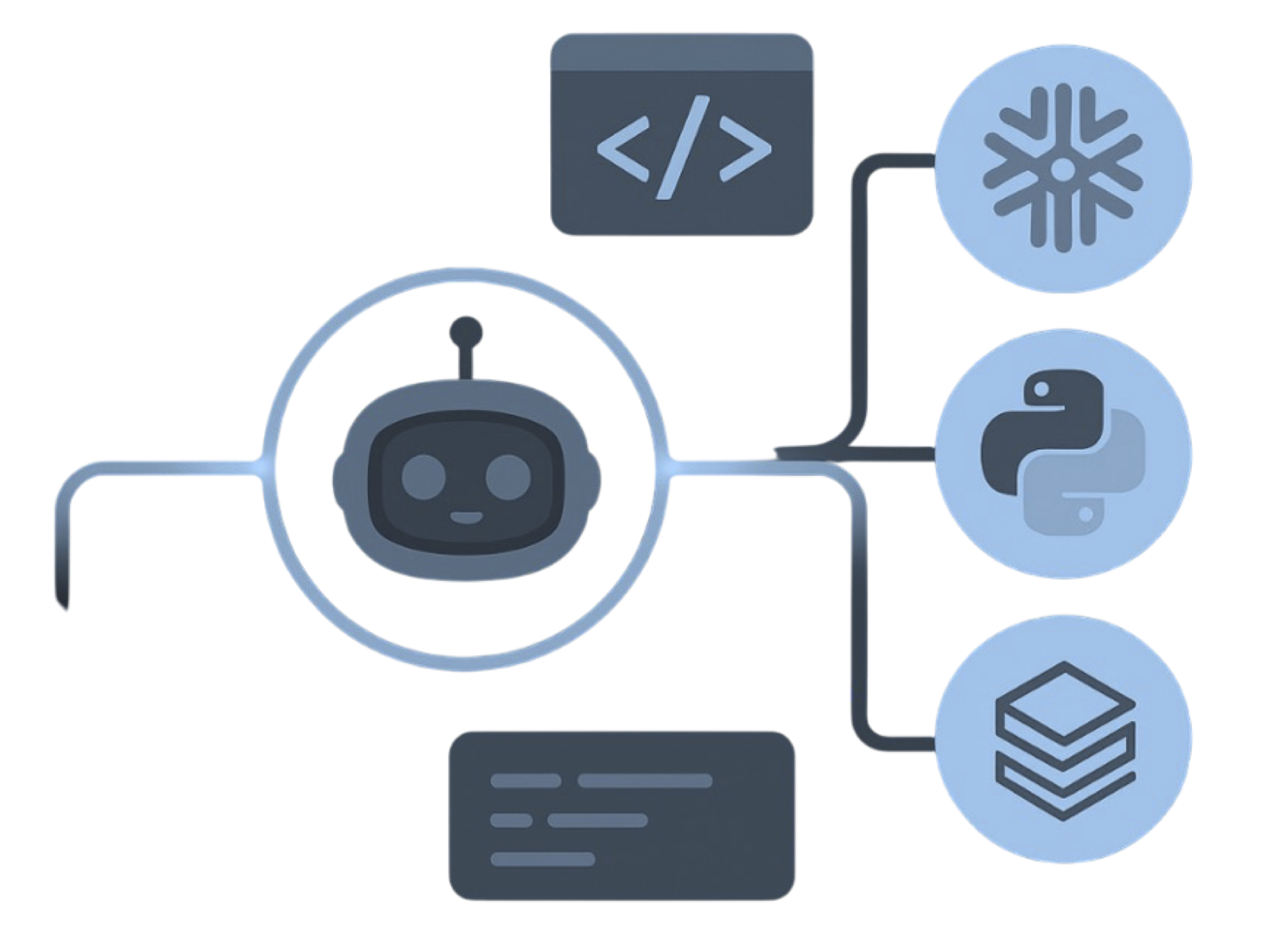
MigryX precision parser — Deep AST-level analysis ensures every construct is understood before conversion begins
Platform-Specific Optimization by MigryX
MigryX maintains deep knowledge of every target platform’s strengths and best practices. When converting to Snowflake, it leverages Snowpark and native SQL functions. When targeting Databricks, it uses PySpark DataFrame operations optimized for distributed execution. When generating dbt models, it follows dbt best practices for modularity and testability. This platform awareness is what makes MigryX output production-ready from day one.
Delta Live Tables: Declarative Data Pipelines
Delta Live Tables (DLT) is Databricks' framework for building reliable, maintainable ETL pipelines using a declarative approach. Instead of writing imperative code that specifies how to process data step by step, DLT lets you declare what the output tables should contain. DLT handles orchestration, error handling, data quality validation, and incremental processing automatically.
For enterprises migrating from ETL tools like Informatica, DataStage, or Talend, DLT provides a familiar declarative model (similar to how visual ETL tools work) but with the power and flexibility of Python or SQL. Data quality expectations in DLT replace custom validation stored procedures or third-party data quality tools.
# Delta Live Tables: Declarative pipeline definition
# Replaces: Informatica mappings + taskflows, DataStage jobs + sequences,
#           custom stored procedure chains with error handling

import dlt
from pyspark.sql import functions as F

@dlt.table(comment="Raw transaction data from source systems")
def bronze_transactions():
    return (
        spark.readStream
        .format("cloudFiles")
        .option("cloudFiles.format", "json")
        .load("/mnt/landing/transactions/")
    )

@dlt.table(comment="Cleansed transactions with validated fields")
@dlt.expect_or_drop("valid_amount", "amount > 0")
@dlt.expect_or_drop("valid_date", "transaction_date IS NOT NULL")
@dlt.expect_or_fail("valid_currency", "currency IN ('USD','EUR','GBP','JPY')")
def silver_transactions():
    return (
        dlt.read_stream("bronze_transactions")
        .withColumn("amount", F.col("amount").cast("decimal(15,2)"))
        .withColumn("transaction_date", F.to_date("transaction_date"))
        .dropDuplicates(["transaction_id"])
    )

@dlt.table(comment="Daily transaction summary by region and product")
def gold_daily_summary():
    return (
        dlt.read("silver_transactions")
        .groupBy(
            F.date_trunc("day", "transaction_date").alias("report_date"),
            "region",
            "product_category"
        )
        .agg(
            F.count("transaction_id").alias("transaction_count"),
            F.sum("amount").alias("total_amount"),
            F.avg("amount").alias("avg_amount"),
            F.approx_count_distinct("customer_id").alias("unique_customers")
        )
    )
Databricks Workflows: Orchestration Without Additional Tools
Legacy environments often rely on external orchestration tools — Control-M, Autosys, Apache Airflow, cron, or Windows Task Scheduler — to coordinate ETL job execution. Databricks Workflows provides native orchestration with a visual DAG editor, cron and file-arrival triggers, parameterized runs, automatic retries, multi-channel alerting, and run history with cost tracking.
For migration projects, Databricks Workflows eliminates the need to maintain a separate orchestration layer. Job dependencies, retry logic, and error handling are defined within the same platform where the data processing runs. This reduces operational complexity and consolidates monitoring.
Cost Comparison: Legacy Stack vs. Databricks
The total cost of ownership (TCO) is often the primary business driver for migration. Legacy data platforms accumulate costs across multiple dimensions: software licensing, hardware or VM infrastructure, ETL tool licensing, analytics tool licensing, DBA and administrator salaries, and integration maintenance. Databricks consolidates these into a single consumption-based model with several cost optimization levers.
| Cost Category | Legacy Stack (Annual Estimate) | Databricks (Annual Estimate) | Notes |
|---|---|---|---|
| Data Warehouse License | $500K – $3M | Included in Databricks SQL | Oracle/Teradata per-core licensing eliminated |
| ETL Tool License | $200K – $1M | Included in Databricks | Informatica/DataStage IPU or per-server licensing eliminated |
| Analytics Tool License | $300K – $1.5M | Included (MLflow, SQL) | SAS per-seat licensing eliminated for core analytics |
| Infrastructure (servers/VMs) | $200K – $800K | $0 (cloud-based) | Auto-scaling eliminates over-provisioning |
| Database Administration | 3–5 FTEs ($450K – $750K) | 0–1 FTE (managed service) | No patching, tuning, backup management |
| Integration Maintenance | 2–4 FTEs ($300K – $600K) | Minimal (single platform) | No cross-tool integration to maintain |
| Databricks Compute (DBUs) | N/A | $300K – $1.2M | Consumption-based; optimized with spot/auto-scaling |
| Cloud Storage | N/A | $20K – $100K | S3/ADLS storage is extremely inexpensive |
| Estimated Total | $1.9M – $7.6M | $320K – $1.3M | 60–85% reduction typical |
Cost Optimization Levers in Databricks
- Spot instances — Use spot/preemptible VMs for worker nodes in ETL clusters, reducing compute costs by 60–80%. Databricks handles spot interruptions automatically by redistributing work to on-demand nodes.
- Auto-scaling clusters — Clusters scale worker nodes up during heavy processing and back down during idle periods. No over-provisioning needed.
- Auto-termination — Interactive clusters automatically shut down after a configurable idle period. Job clusters terminate immediately when the job finishes.
- SQL Warehouse scaling — Databricks SQL warehouses auto-scale and auto-suspend. You pay only for active query time, not for idle capacity.
- Photon engine — Photon's vectorized execution reduces query time (and therefore DBU consumption) by up to 12x for SQL workloads, directly lowering cost per query.
- Delta Lake optimization — OPTIMIZE, Z-ORDER, and data skipping reduce the amount of data scanned per query, lowering both time and cost.
The most common pattern we see: enterprises spend $2–5M annually on a combination of Oracle Database, Informatica PowerCenter, and SAS. After migration to Databricks, the annual platform cost drops to $400K–$900K. The savings fund the migration project itself within the first year.
Migration Complexity by Source Platform
Not all migrations to Databricks are equally complex. The difficulty depends on the source platform, the volume of legacy code, the complexity of business logic, and the degree to which the organization wants to adopt Databricks-native patterns versus lift-and-shift.
| Source Platform | Migration Complexity | Key Challenges | Databricks Target Patterns |
|---|---|---|---|
| Oracle PL/SQL | High | Cursor-based procedural logic, packages, Oracle-specific SQL syntax | PySpark DataFrames, Delta Lake MERGE, Python modules |
| SQL Server / T-SQL | Medium | T-SQL syntax differences, SSIS packages, SSRS reports | Databricks SQL, PySpark, Databricks dashboards |
| Teradata | Medium–High | BTEQ scripts, Teradata-specific SQL extensions, FastLoad/MultiLoad | Databricks SQL, Auto Loader, Delta Lake |
| Informatica PowerCenter | Medium | Visual mapping translation, session/workflow configuration | PySpark notebooks, Delta Live Tables, Workflows |
| Informatica IDMC | Medium | CDI mappings, Secure Agent compute model, taskflows | PySpark, Databricks SQL, Workflows |
| SAS (Base SAS, macros) | Medium–High | SAS macro language, DATA step logic, PROC procedures | PySpark, pandas on Spark, MLflow |
| IBM DataStage | Medium | Parallel job design, server job conversion, sequence logic | PySpark notebooks, Delta Live Tables, Workflows |
| Mainframe (COBOL/JCL) | Very High | EBCDIC encoding, copybook parsing, batch job conversion | PySpark with custom parsers, Databricks Workflows |
| Hadoop/Hive | Low–Medium | HiveQL to Spark SQL, HDFS to cloud storage, Oozie to Workflows | Spark SQL (mostly compatible), Delta Lake, Workflows |
The Medallion Architecture: A Migration Framework
The Medallion Architecture provides a clear organizational framework for migrated data. Legacy environments often lack a consistent data organization pattern — staging tables, work tables, dimension tables, fact tables, summary tables, and reporting views are scattered across schemas with inconsistent naming. The Medallion Architecture provides a standardized three-layer approach that every team member can understand.
- Bronze layer — Raw data exactly as received from source systems. No transformations applied. This is the "single source of truth" that can be reprocessed if business logic changes. Replaces staging tables and raw file dumps.
- Silver layer — Cleansed, conformed, deduplicated data with consistent data types, validated business keys, and standardized naming. Replaces work tables and integration layer tables. Data quality expectations enforced at this layer.
- Gold layer — Business-level aggregates, dimensions, facts, and metrics optimized for analytics and reporting. Replaces data marts, summary tables, and materialized views. This is the layer that analysts and BI tools query.
# Medallion Architecture in Databricks
# Clear separation of concerns replaces ad-hoc staging patterns

# BRONZE: Raw ingestion (replaces STG_ tables)
spark.sql("""
    CREATE SCHEMA IF NOT EXISTS bronze
    COMMENT 'Raw data from source systems - no transformations'
""")

# SILVER: Cleansed and conformed (replaces WRK_ / INT_ tables)
spark.sql("""
    CREATE SCHEMA IF NOT EXISTS silver
    COMMENT 'Cleansed, deduplicated, conformed data with validated keys'
""")

# GOLD: Business-ready analytics (replaces DIM_ / FACT_ / RPT_ tables)
spark.sql("""
    CREATE SCHEMA IF NOT EXISTS gold
    COMMENT 'Business aggregates, dimensions, and metrics for analytics'
""")

# Unity Catalog ensures consistent governance across all layers
# Analysts get SELECT on gold; engineers get full access to bronze/silver
How MigryX Accelerates Migration to Databricks
- AST-based deterministic parsing — MigryX converts source platform code (PL/SQL, T-SQL, SAS, Informatica XML) to Databricks PySpark and SQL using Abstract Syntax Tree analysis. This deterministic approach achieves +95% parser accuracy, far exceeding regex-based or AI-only translation tools that produce inconsistent results.
- Column-level lineage — MigryX traces data lineage from source columns through every transformation to target columns, producing STTM (Source-to-Target Mapping) documentation that maps directly to Unity Catalog lineage. This is critical for regulatory compliance and audit readiness.
- Multi-target output — The same source code can be converted to PySpark, Databricks SQL, or Spark SQL, allowing teams to choose the output format that matches their team's skills and Databricks deployment patterns.
- On-premise and air-gapped deployment — MigryX runs entirely within your network perimeter. No source code or data is transmitted externally. This meets the security requirements of financial services, healthcare, government, and defense organizations that cannot use cloud-based migration tools.
- Merlin AI for edge cases — MigryX's Merlin AI provides intelligent conversion suggestions for constructs that require human judgment, with confidence scores that clearly separate deterministic conversions from AI-assisted recommendations.
- Assessment-first approach — Before any conversion begins, MigryX analyzes the entire legacy codebase to produce a migration assessment: total object count, complexity distribution, estimated conversion effort, and risk areas. This enables accurate project planning before committing resources.
Making the Decision: When Databricks Is the Right Target
Databricks is the strongest choice when the enterprise needs to consolidate multiple legacy tools into a single platform, when data volumes are growing beyond the capacity of legacy systems, when the organization wants to adopt modern data engineering practices (code-based pipelines, CI/CD, version control), when machine learning and advanced analytics are part of the data strategy, and when governance and lineage are regulatory requirements. The lakehouse architecture eliminates the data lake versus data warehouse debate, Delta Lake provides the transactional guarantees that enterprise workloads require, and Unity Catalog provides governance that legacy environments struggle to achieve across fragmented tool sets.
The organizations that succeed in their Databricks migration are those that treat it as a platform modernization rather than a lift-and-shift. This means embracing PySpark DataFrames over procedural loops, Delta Lake MERGE over custom upsert scripts, the Medallion Architecture over ad-hoc table organization, and Databricks Workflows over external schedulers. The result is a data platform that is faster, cheaper, more governable, and more capable than the legacy stack it replaces.
For enterprises evaluating Databricks as a migration target, the path forward starts with assessment: understanding what you have today, mapping it to Databricks-native patterns, and building a phased migration plan that delivers value incrementally rather than attempting a big-bang cutover. MigryX provides the automated assessment and conversion tooling that makes this path predictable, measurable, and achievable within enterprise timelines.
Why MigryX Delivers Superior Migration Results
The challenges described throughout this article are exactly what MigryX was built to solve. Here is how MigryX transforms this process:
- Production-ready output: MigryX generates code that passes code review and runs in production — not prototype-quality output that needs weeks of cleanup.
- Platform optimization: Converted code leverages target platform-specific features for maximum performance and cost efficiency.
- 25+ source technologies: Whether migrating from SAS, Informatica, DataStage, SSIS, or any of 25+ legacy technologies, MigryX handles it.
- Automated documentation: Every conversion decision is documented with before/after code mappings and transformation rationale.
MigryX combines precision AST parsing with Merlin AI to deliver 99% accurate, production-ready migration — turning what used to be a multi-year manual effort into a streamlined, validated process. See it in action.
Planning a migration to Databricks?
See how MigryX automates the assessment and conversion of legacy platforms to production-ready Databricks PySpark, Delta Lake, and Workflows.
Explore Databricks Migration Schedule a Demo