
Oracle PL/SQL is one of the most deeply entrenched procedural languages in enterprise data platforms. Decades of business logic live in PL/SQL packages, stored procedures, functions, triggers, and materialized views. Organizations migrating from Oracle to Snowflake face a fundamental challenge: PL/SQL is a rich, mature procedural language with features like packages, cursors, bulk operations, autonomous transactions, and a comprehensive built-in package library (DBMS_OUTPUT, DBMS_SCHEDULER, UTL_FILE, DBMS_SQL). Snowflake offers multiple procedural options — Snowflake Scripting (SQL-based), JavaScript stored procedures, and Snowpark Python — but each has different strengths and the mapping is rarely one-to-one.
This article provides a detailed technical mapping of Oracle PL/SQL constructs to their Snowflake equivalents, covering packages, cursors, exception handling, collections, MERGE statements, bulk operations, file I/O, scheduling, and materialized views. We examine the trade-offs between Snowflake Scripting, JavaScript, and Snowpark Python for different categories of PL/SQL logic, and provide concrete code examples for the most common migration patterns.
PL/SQL Architecture vs. Snowflake Procedural Architecture
In Oracle, PL/SQL runs inside the database engine. The PL/SQL runtime shares memory with the SQL engine, allowing tight integration between procedural code and SQL execution. PL/SQL packages provide encapsulation, state management (package-level variables), and namespace organization. The Oracle optimizer can inline PL/SQL function calls in SQL statements. This deep integration means PL/SQL code often mixes procedural control flow with SQL DML in ways that are efficient in Oracle but require rethinking for Snowflake.
Snowflake's procedural model is different in several key ways. Snowflake Scripting (introduced as the SQL-based procedural extension) provides DECLARE/BEGIN/END blocks, variables, cursors, loops, and exception handling — similar in spirit to PL/SQL but with a different syntax and feature set. JavaScript stored procedures offer full programmatic flexibility including JSON manipulation, HTTP calls (via external functions), and complex data structures. Snowpark Python enables DataFrame-based transformations that execute on Snowflake's compute engine. All three run on virtual warehouses, not on a shared database engine process.
| Oracle PL/SQL Concept | Snowflake Equivalent | Notes |
|---|---|---|
| PL/SQL Package | Schema + stored procedures | No direct package equivalent; use schema for namespace |
| Package specification | Stored procedure / function signatures | No separate spec/body; procedures are self-contained |
| Package body | Stored procedure / function implementations | Each procedure/function is independent |
| Package variables (state) | Session variables / temporary tables | No persistent package state between calls |
| Stored procedure | Snowflake stored procedure (SQL/JS/Python) | Three language options available |
| Function (deterministic) | User-Defined Function (SQL/JS/Python) | UDFs can be used in SQL statements |
| Cursor (explicit) | RESULTSET + cursor loop | Snowflake Scripting supports cursor FOR loops |
| Cursor (implicit) | Direct SQL execution | No implicit cursor; use direct SQL |
| EXCEPTION block | EXCEPTION block (Snowflake Scripting) | Similar syntax, different built-in exceptions |
| BULK COLLECT / FORALL | Set-based SQL operations | Snowflake favors set-based over row-by-row |
| Collections (TABLE/VARRAY/RECORD) | ARRAY / OBJECT / VARIANT | Semi-structured types replace PL/SQL collections |
| Oracle sequences | Snowflake sequences | Similar syntax, different caching behavior |
| DBMS_OUTPUT.PUT_LINE | SYSTEM$LOG / RETURN value | Logging via event table or return values |
| DBMS_SCHEDULER | Snowflake Tasks | CRON scheduling with DAG support |
| Materialized views | Dynamic Tables | Declarative, auto-refreshing transformations |
| MERGE statement | Snowflake MERGE | Nearly identical syntax |
| UTL_FILE | Stages + GET/PUT commands | File I/O through cloud storage stages |
| Triggers | Streams + Tasks | Event-driven processing via CDC |
| Autonomous transactions | Separate procedure call | No direct equivalent; use separate transactions |

Oracle PL/SQL to Snowflake migration — automated end-to-end by MigryX
PL/SQL Packages to Snowflake Schemas and Procedures
Oracle PL/SQL packages are the primary unit of code organization. A package groups related procedures, functions, types, cursors, and variables under a single namespace. The package specification declares public interfaces, while the package body contains implementations and private logic. Packages can maintain state through package-level variables that persist for the duration of a session.
Snowflake does not have a direct package equivalent. The recommended migration pattern is to map each Oracle package to a Snowflake schema, with each package procedure/function becoming an independent stored procedure or UDF within that schema. Package-level variables that maintain state between procedure calls must be migrated to session variables, temporary tables, or procedure parameters.
-- Oracle PL/SQL Package
CREATE OR REPLACE PACKAGE order_processing AS
    -- Package specification (public interface)
    g_batch_id      NUMBER;
    g_error_count   NUMBER := 0;

    PROCEDURE process_orders(p_start_date DATE, p_end_date DATE);
    PROCEDURE validate_order(p_order_id NUMBER);
    FUNCTION  get_discount(p_customer_tier VARCHAR2, p_amount NUMBER) RETURN NUMBER;
END order_processing;
/

CREATE OR REPLACE PACKAGE BODY order_processing AS
    -- Private variable
    v_processing_status VARCHAR2(20);

    FUNCTION get_discount(p_customer_tier VARCHAR2, p_amount NUMBER)
    RETURN NUMBER IS
        v_discount NUMBER;
    BEGIN
        CASE p_customer_tier
            WHEN 'PLATINUM' THEN v_discount := p_amount * 0.15;
            WHEN 'GOLD'     THEN v_discount := p_amount * 0.10;
            WHEN 'SILVER'   THEN v_discount := p_amount * 0.05;
            ELSE v_discount := 0;
        END CASE;
        RETURN v_discount;
    END get_discount;

    PROCEDURE validate_order(p_order_id NUMBER) IS
    BEGIN
        UPDATE orders SET validated = 'Y', validated_date = SYSDATE
        WHERE order_id = p_order_id
          AND total_amount > 0
          AND customer_id IS NOT NULL;

        IF SQL%ROWCOUNT = 0 THEN
            g_error_count := g_error_count + 1;
            INSERT INTO order_errors (order_id, error_msg, error_date)
            VALUES (p_order_id, 'Validation failed', SYSDATE);
        END IF;
    END validate_order;

    PROCEDURE process_orders(p_start_date DATE, p_end_date DATE) IS
    BEGIN
        g_batch_id := order_batch_seq.NEXTVAL;
        g_error_count := 0;

        FOR rec IN (SELECT order_id FROM orders
                    WHERE order_date BETWEEN p_start_date AND p_end_date
                      AND validated = 'N')
        LOOP
            validate_order(rec.order_id);
        END LOOP;

        DBMS_OUTPUT.PUT_LINE('Batch ' || g_batch_id ||
            ' completed. Errors: ' || g_error_count);
    END process_orders;
END order_processing;
/
-- Snowflake equivalent: Schema replaces package namespace
CREATE SCHEMA IF NOT EXISTS order_processing;

-- UDF replaces package function (can be used in SQL)
CREATE OR REPLACE FUNCTION order_processing.get_discount(
    p_customer_tier STRING,
    p_amount NUMBER(18,2)
)
RETURNS NUMBER(18,2)
LANGUAGE SQL
AS
$$
    CASE p_customer_tier
        WHEN 'PLATINUM' THEN p_amount * 0.15
        WHEN 'GOLD'     THEN p_amount * 0.10
        WHEN 'SILVER'   THEN p_amount * 0.05
        ELSE 0
    END
$$;

-- Stored procedure replaces package procedure
CREATE OR REPLACE PROCEDURE order_processing.validate_order(p_order_id NUMBER)
RETURNS STRING
LANGUAGE SQL
AS
$$
DECLARE
    v_row_count INTEGER;
BEGIN
    UPDATE orders SET validated = 'Y', validated_date = CURRENT_TIMESTAMP()
    WHERE order_id = :p_order_id
      AND total_amount > 0
      AND customer_id IS NOT NULL;

    SELECT COUNT(*) INTO v_row_count
    FROM orders
    WHERE order_id = :p_order_id AND validated = 'Y';

    IF (v_row_count = 0) THEN
        INSERT INTO order_errors (order_id, error_msg, error_date)
        VALUES (:p_order_id, 'Validation failed', CURRENT_TIMESTAMP());
        RETURN 'FAILED';
    END IF;

    RETURN 'SUCCESS';
END;
$$;

-- Main procedure replaces package procedure with cursor loop
CREATE OR REPLACE PROCEDURE order_processing.process_orders(
    p_start_date DATE,
    p_end_date DATE
)
RETURNS STRING
LANGUAGE SQL
AS
$$
DECLARE
    v_batch_id NUMBER;
    v_error_count NUMBER DEFAULT 0;
    v_result STRING;
    cur CURSOR FOR
        SELECT order_id FROM orders
        WHERE order_date BETWEEN :p_start_date AND :p_end_date
          AND validated = 'N';
BEGIN
    SELECT order_batch_seq.NEXTVAL INTO v_batch_id;

    FOR rec IN cur DO
        CALL order_processing.validate_order(rec.order_id);
        -- Check result (simplified; actual implementation may vary)
    END FOR;

    SYSTEM$LOG_INFO('Batch ' || v_batch_id::STRING ||
        ' completed. Errors: ' || v_error_count::STRING);

    RETURN 'Batch ' || v_batch_id::STRING || ' completed';
END;
$$;
The biggest conceptual shift when migrating PL/SQL packages is the loss of package-level state. In Oracle, package variables like g_batch_id and g_error_count persist across procedure calls within a session. In Snowflake, each stored procedure call is independent. State must be passed as parameters, stored in session variables (SET/GETVARIABLE), or persisted to temporary tables. MigryX's AST parser identifies package-level variable dependencies and generates the appropriate state management pattern for Snowflake.
MigryX: Purpose-Built Parsers for Every Legacy Technology
MigryX does not rely on generic text matching or regex-based parsing. For every supported legacy technology, MigryX has built a dedicated Abstract Syntax Tree (AST) parser that understands the full grammar and semantics of that platform. This means MigryX captures not just what the code does, but why — understanding implicit behaviors, default settings, and platform-specific quirks that generic tools miss entirely.
Cursors: PL/SQL Cursor Loops to Snowflake Scripting
Cursors are one of the most heavily used PL/SQL features. Oracle PL/SQL supports explicit cursors (CURSOR...OPEN...FETCH...CLOSE), implicit cursors (FOR rec IN SELECT...), parameterized cursors, cursor variables (REF CURSOR), and bulk collection (FETCH...BULK COLLECT INTO). Snowflake Scripting supports cursor declaration, FOR loops, and RESULTSET objects, but the paradigm should shift toward set-based operations wherever possible for optimal Snowflake performance.
Oracle Cursor Loop with Bulk Processing to Snowflake
-- Oracle PL/SQL: Cursor loop with BULK COLLECT and FORALL
CREATE OR REPLACE PROCEDURE process_stale_accounts IS
    TYPE t_account_ids IS TABLE OF accounts.account_id%TYPE;
    TYPE t_statuses    IS TABLE OF accounts.status%TYPE;

    v_account_ids t_account_ids;
    v_statuses    t_statuses;

    CURSOR c_stale IS
        SELECT account_id, status
        FROM accounts
        WHERE last_activity_date < SYSDATE - 365
          AND status = 'ACTIVE';
BEGIN
    OPEN c_stale;
    LOOP
        FETCH c_stale BULK COLLECT INTO v_account_ids, v_statuses LIMIT 1000;
        EXIT WHEN v_account_ids.COUNT = 0;

        FORALL i IN 1..v_account_ids.COUNT
            UPDATE accounts
            SET status = 'DORMANT',
                dormant_date = SYSDATE,
                dormant_reason = 'No activity for 365 days'
            WHERE account_id = v_account_ids(i);

        FORALL i IN 1..v_account_ids.COUNT
            INSERT INTO account_audit (account_id, old_status, new_status, change_date)
            VALUES (v_account_ids(i), v_statuses(i), 'DORMANT', SYSDATE);

        COMMIT;
    END LOOP;
    CLOSE c_stale;

    DBMS_OUTPUT.PUT_LINE('Processed ' || SQL%ROWCOUNT || ' accounts');
EXCEPTION
    WHEN OTHERS THEN
        ROLLBACK;
        INSERT INTO error_log (proc_name, error_msg, error_date)
        VALUES ('process_stale_accounts', SQLERRM, SYSDATE);
        COMMIT;
        RAISE;
END process_stale_accounts;
/
-- Snowflake equivalent: Set-based approach (preferred)
-- BULK COLLECT + FORALL pattern becomes a single set-based operation
CREATE OR REPLACE PROCEDURE process_stale_accounts()
RETURNS STRING
LANGUAGE SQL
AS
$$
DECLARE
    v_count INTEGER;
BEGIN
    -- Start transaction
    BEGIN TRANSACTION;

    -- Set-based update replaces cursor + BULK COLLECT + FORALL
    UPDATE accounts
    SET status = 'DORMANT',
        dormant_date = CURRENT_TIMESTAMP(),
        dormant_reason = 'No activity for 365 days'
    WHERE last_activity_date < DATEADD('day', -365, CURRENT_DATE())
      AND status = 'ACTIVE';

    -- Audit trail: insert all changed records at once
    INSERT INTO account_audit (account_id, old_status, new_status, change_date)
    SELECT account_id, 'ACTIVE', 'DORMANT', CURRENT_TIMESTAMP()
    FROM accounts
    WHERE status = 'DORMANT'
      AND dormant_date = CURRENT_DATE();

    SELECT COUNT(*) INTO v_count
    FROM accounts
    WHERE status = 'DORMANT'
      AND dormant_date = CURRENT_DATE();

    COMMIT;

    SYSTEM$LOG_INFO('Processed ' || v_count::STRING || ' dormant accounts');
    RETURN 'Processed ' || v_count::STRING || ' accounts';

EXCEPTION
    WHEN OTHER THEN
        ROLLBACK;
        INSERT INTO error_log (proc_name, error_msg, error_date)
        VALUES ('process_stale_accounts', SQLERRM, CURRENT_TIMESTAMP());
        COMMIT;
        RAISE;
END;
$$;
-- Snowflake alternative: If cursor-based approach is truly needed
-- (e.g., each row requires different processing logic)
CREATE OR REPLACE PROCEDURE process_stale_accounts_cursor()
RETURNS STRING
LANGUAGE SQL
AS
$$
DECLARE
    v_error_count INTEGER DEFAULT 0;
    v_success_count INTEGER DEFAULT 0;
    cur CURSOR FOR
        SELECT account_id, status, customer_tier
        FROM accounts
        WHERE last_activity_date < DATEADD('day', -365, CURRENT_DATE())
          AND status = 'ACTIVE';
BEGIN
    FOR rec IN cur DO
        BEGIN
            -- Different processing based on customer tier
            IF (rec.customer_tier = 'ENTERPRISE') THEN
                -- Enterprise accounts get a warning, not dormant
                UPDATE accounts
                SET status = 'WARNING',
                    warning_date = CURRENT_TIMESTAMP()
                WHERE account_id = rec.account_id;
            ELSE
                UPDATE accounts
                SET status = 'DORMANT',
                    dormant_date = CURRENT_TIMESTAMP()
                WHERE account_id = rec.account_id;
            END IF;

            INSERT INTO account_audit
                (account_id, old_status, new_status, change_date)
            VALUES
                (rec.account_id, rec.status,
                 CASE WHEN rec.customer_tier = 'ENTERPRISE'
                      THEN 'WARNING' ELSE 'DORMANT' END,
                 CURRENT_TIMESTAMP());

            v_success_count := v_success_count + 1;

        EXCEPTION
            WHEN OTHER THEN
                v_error_count := v_error_count + 1;
                INSERT INTO error_log (proc_name, error_msg, error_date)
                VALUES ('process_stale_accounts',
                        'Error on account ' || rec.account_id::STRING ||
                        ': ' || SQLERRM,
                        CURRENT_TIMESTAMP());
        END;
    END FOR;

    RETURN 'Success: ' || v_success_count::STRING ||
           ', Errors: ' || v_error_count::STRING;
END;
$$;
The most important migration principle for PL/SQL cursors is: convert row-by-row processing to set-based SQL wherever possible. Oracle's BULK COLLECT and FORALL were performance optimizations to reduce context switching between PL/SQL and SQL engines. In Snowflake, there is no such context switching penalty — set-based SQL runs natively on the MPP engine and is always faster than cursor loops. Reserve cursor-based approaches for cases where each row genuinely requires different processing logic.
Exception Handling: PL/SQL EXCEPTION to Snowflake EXCEPTION
Oracle PL/SQL has a rich exception handling system with named exceptions (NO_DATA_FOUND, TOO_MANY_ROWS, DUP_VAL_ON_INDEX), user-defined exceptions (RAISE_APPLICATION_ERROR), and the catch-all WHEN OTHERS handler. Snowflake Scripting supports EXCEPTION blocks with WHEN OTHER (note: singular, not OTHERS), SQLCODE, SQLERRM, and SQLSTATE.
| Oracle Exception | Snowflake Equivalent | Notes |
|---|---|---|
| NO_DATA_FOUND | SQLCODE check / RESULTSET empty check | Check ROWCOUNT or RESULTSET |
| TOO_MANY_ROWS | LIMIT 1 with validation | Use LIMIT and validate row count |
| DUP_VAL_ON_INDEX | SQLSTATE = '23505' | Unique constraint violation |
| WHEN OTHERS | WHEN OTHER | Note singular form in Snowflake |
| RAISE_APPLICATION_ERROR | RAISE | Custom error with SQLSTATE |
| PRAGMA EXCEPTION_INIT | No equivalent | Use SQLSTATE codes directly |
| SQLCODE | SQLCODE | Same name, different values |
| SQLERRM | SQLERRM | Same name, different messages |
-- Oracle PL/SQL exception handling
CREATE OR REPLACE PROCEDURE lookup_customer(p_customer_id NUMBER) IS
    v_name    VARCHAR2(200);
    v_tier    VARCHAR2(50);
    e_inactive_customer EXCEPTION;
    PRAGMA EXCEPTION_INIT(e_inactive_customer, -20001);
BEGIN
    SELECT customer_name, customer_tier
    INTO v_name, v_tier
    FROM customers
    WHERE customer_id = p_customer_id;

    IF v_tier = 'INACTIVE' THEN
        RAISE_APPLICATION_ERROR(-20001, 'Customer is inactive');
    END IF;

    DBMS_OUTPUT.PUT_LINE('Customer: ' || v_name || ', Tier: ' || v_tier);

EXCEPTION
    WHEN NO_DATA_FOUND THEN
        DBMS_OUTPUT.PUT_LINE('Customer not found: ' || p_customer_id);
        INSERT INTO error_log VALUES ('lookup_customer',
            'Not found: ' || p_customer_id, SYSDATE);
    WHEN e_inactive_customer THEN
        DBMS_OUTPUT.PUT_LINE('Inactive customer: ' || p_customer_id);
    WHEN OTHERS THEN
        DBMS_OUTPUT.PUT_LINE('Unexpected error: ' || SQLERRM);
        RAISE;
END;
/
-- Snowflake Scripting equivalent
CREATE OR REPLACE PROCEDURE lookup_customer(p_customer_id NUMBER)
RETURNS STRING
LANGUAGE SQL
AS
$$
DECLARE
    v_name STRING;
    v_tier STRING;
    v_count INTEGER;
BEGIN
    -- Check for existence first (replaces NO_DATA_FOUND)
    SELECT COUNT(*) INTO v_count
    FROM customers
    WHERE customer_id = :p_customer_id;

    IF (v_count = 0) THEN
        INSERT INTO error_log (proc_name, error_msg, error_date)
        VALUES ('lookup_customer',
                'Not found: ' || :p_customer_id::STRING,
                CURRENT_TIMESTAMP());
        RETURN 'Customer not found: ' || :p_customer_id::STRING;
    END IF;

    SELECT customer_name, customer_tier INTO v_name, v_tier
    FROM customers
    WHERE customer_id = :p_customer_id
    LIMIT 1;

    IF (v_tier = 'INACTIVE') THEN
        RETURN 'Inactive customer: ' || :p_customer_id::STRING;
    END IF;

    SYSTEM$LOG_INFO('Customer: ' || v_name || ', Tier: ' || v_tier);
    RETURN 'Customer: ' || v_name || ', Tier: ' || v_tier;

EXCEPTION
    WHEN OTHER THEN
        SYSTEM$LOG_ERROR('Unexpected error: ' || SQLERRM);
        RAISE;
END;
$$;
Oracle MERGE to Snowflake MERGE
Oracle's MERGE statement (also known as UPSERT) is one of the most commonly used DML operations in data warehousing. Snowflake supports MERGE with nearly identical syntax, making this one of the most straightforward migration paths. However, Oracle's extended MERGE features (UPDATE with DELETE clause, conditional inserts with WHERE) require slight adjustments.
-- Oracle MERGE with complex conditions
MERGE INTO dim_customers tgt
USING (
    SELECT
        customer_id,
        customer_name,
        email,
        phone,
        address,
        customer_tier,
        annual_revenue,
        last_order_date,
        ROW_NUMBER() OVER (PARTITION BY customer_id
                           ORDER BY updated_at DESC) AS rn
    FROM staging_customers
) src
ON (tgt.customer_id = src.customer_id AND src.rn = 1)
WHEN MATCHED THEN
    UPDATE SET
        tgt.customer_name  = src.customer_name,
        tgt.email          = src.email,
        tgt.phone          = src.phone,
        tgt.address        = src.address,
        tgt.customer_tier  = src.customer_tier,
        tgt.annual_revenue = src.annual_revenue,
        tgt.last_order_date = src.last_order_date,
        tgt.updated_at     = SYSDATE
    WHERE tgt.customer_name  != src.customer_name
       OR tgt.email          != src.email
       OR tgt.customer_tier  != src.customer_tier
       OR tgt.annual_revenue != src.annual_revenue
    DELETE WHERE src.customer_tier = 'DELETED'
WHEN NOT MATCHED THEN
    INSERT (customer_id, customer_name, email, phone, address,
            customer_tier, annual_revenue, last_order_date,
            created_at, updated_at)
    VALUES (src.customer_id, src.customer_name, src.email, src.phone,
            src.address, src.customer_tier, src.annual_revenue,
            src.last_order_date, SYSDATE, SYSDATE);
-- Snowflake MERGE equivalent
-- Note: Snowflake does not support DELETE inside MATCHED clause;
-- handle deletion separately or use MATCHED + condition
MERGE INTO dim_customers tgt
USING (
    SELECT
        customer_id,
        customer_name,
        email,
        phone,
        address,
        customer_tier,
        annual_revenue,
        last_order_date
    FROM staging_customers
    QUALIFY ROW_NUMBER() OVER (PARTITION BY customer_id
                               ORDER BY updated_at DESC) = 1
) src
ON tgt.customer_id = src.customer_id
WHEN MATCHED AND src.customer_tier = 'DELETED' THEN
    DELETE
WHEN MATCHED AND (
    tgt.customer_name  != src.customer_name OR
    tgt.email          != src.email OR
    tgt.customer_tier  != src.customer_tier OR
    tgt.annual_revenue != src.annual_revenue
) THEN
    UPDATE SET
        tgt.customer_name  = src.customer_name,
        tgt.email          = src.email,
        tgt.phone          = src.phone,
        tgt.address        = src.address,
        tgt.customer_tier  = src.customer_tier,
        tgt.annual_revenue = src.annual_revenue,
        tgt.last_order_date = src.last_order_date,
        tgt.updated_at     = CURRENT_TIMESTAMP()
WHEN NOT MATCHED THEN
    INSERT (customer_id, customer_name, email, phone, address,
            customer_tier, annual_revenue, last_order_date,
            created_at, updated_at)
    VALUES (src.customer_id, src.customer_name, src.email, src.phone,
            src.address, src.customer_tier, src.annual_revenue,
            src.last_order_date, CURRENT_TIMESTAMP(), CURRENT_TIMESTAMP());
Snowflake's MERGE is functionally equivalent to Oracle's for most use cases. The key differences are: (1) Snowflake supports multiple MATCHED clauses with different conditions, which actually provides more flexibility than Oracle for conditional updates vs. deletes. (2) Oracle's ROW_NUMBER() in the USING subquery should use Snowflake's QUALIFY clause for cleaner syntax. (3) Oracle's SYSDATE becomes CURRENT_TIMESTAMP() in Snowflake.
PL/SQL Collections to Snowflake ARRAY and OBJECT Types
Oracle PL/SQL provides three collection types: nested tables (TABLE OF), VARRAYs (variable-length arrays), and associative arrays (INDEX BY). These are heavily used for bulk operations, parameter passing, and in-memory data manipulation. Snowflake replaces these with semi-structured types: ARRAY, OBJECT, and VARIANT.
-- Oracle PL/SQL: Using collections
DECLARE
    TYPE t_ids IS TABLE OF NUMBER;
    TYPE t_names IS TABLE OF VARCHAR2(200);
    v_ids   t_ids;
    v_names t_names;
BEGIN
    SELECT customer_id, customer_name
    BULK COLLECT INTO v_ids, v_names
    FROM customers
    WHERE customer_tier = 'PLATINUM';

    FOR i IN 1..v_ids.COUNT LOOP
        DBMS_OUTPUT.PUT_LINE(v_ids(i) || ': ' || v_names(i));
    END LOOP;
END;
/
-- Snowflake equivalent: Using ARRAY_AGG and FLATTEN
CREATE OR REPLACE PROCEDURE list_platinum_customers()
RETURNS STRING
LANGUAGE SQL
AS
$$
DECLARE
    v_ids ARRAY;
    v_names ARRAY;
    v_count INTEGER;
    v_result STRING DEFAULT '';
BEGIN
    SELECT ARRAY_AGG(customer_id),
           ARRAY_AGG(customer_name)
    INTO v_ids, v_names
    FROM customers
    WHERE customer_tier = 'PLATINUM';

    v_count := ARRAY_SIZE(v_ids);

    FOR i IN 0 TO v_count - 1 DO
        v_result := v_result || v_ids[i]::STRING || ': ' || v_names[i]::STRING || '\n';
    END FOR;

    RETURN v_result;
END;
$$;
Oracle Sequences to Snowflake Sequences
Oracle sequences generate unique numeric values and are commonly used for primary keys, batch IDs, and audit trail numbering. Snowflake supports sequences with similar syntax but different behavior: Snowflake sequences are not guaranteed to be gap-free, and the caching mechanism works differently across warehouses.
-- Oracle sequence
CREATE SEQUENCE order_batch_seq START WITH 1 INCREMENT BY 1 CACHE 100;

-- Usage in PL/SQL
v_batch_id := order_batch_seq.NEXTVAL;

-- Snowflake sequence (similar syntax)
CREATE OR REPLACE SEQUENCE order_batch_seq START = 1 INCREMENT = 1;

-- Usage in Snowflake Scripting
SELECT order_batch_seq.NEXTVAL INTO v_batch_id;
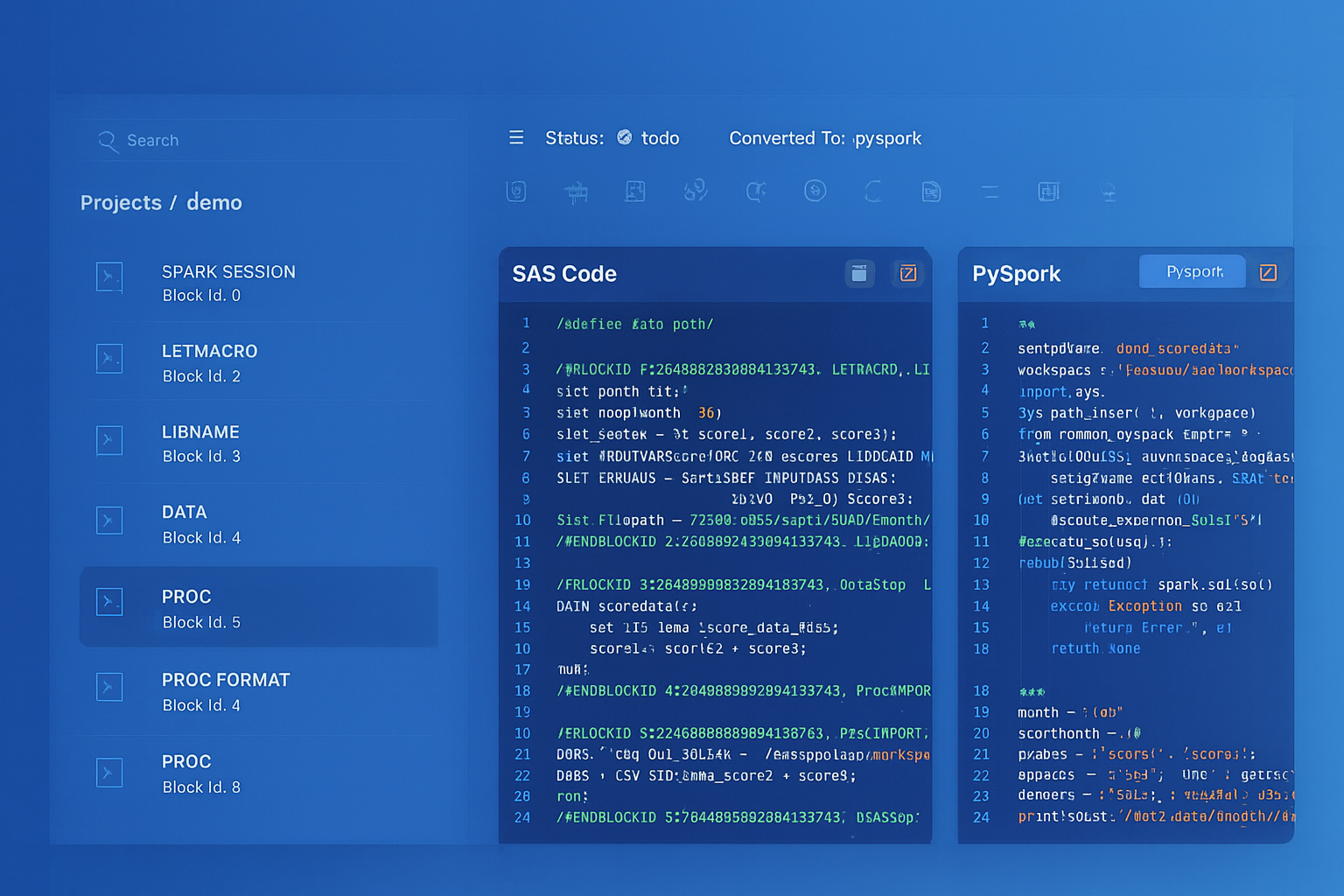
From parsed legacy code to production-ready modern equivalents — MigryX automates the entire conversion pipeline
From Legacy Complexity to Modern Clarity with MigryX
Legacy ETL platforms encode business logic in visual workflows, proprietary XML formats, and platform-specific constructs that are opaque to standard analysis tools. MigryX’s deep parsers crack open these proprietary formats and extract the underlying data transformations, business rules, and data flows. The result is complete transparency into what your legacy code actually does — often revealing undocumented logic that even the original developers had forgotten.
DBMS_OUTPUT to SYSTEM$LOG
Oracle's DBMS_OUTPUT.PUT_LINE is the primary debugging and logging mechanism in PL/SQL. Snowflake provides SYSTEM$LOG_INFO, SYSTEM$LOG_WARNING, SYSTEM$LOG_ERROR, and SYSTEM$LOG_TRACE for structured logging to the event table. For quick debugging, stored procedures can return STRING values with diagnostic information.
-- Oracle DBMS_OUTPUT
DBMS_OUTPUT.PUT_LINE('Processing batch: ' || v_batch_id);
DBMS_OUTPUT.PUT_LINE('Records processed: ' || v_count);
DBMS_OUTPUT.PUT_LINE('Errors encountered: ' || v_errors);

-- Snowflake SYSTEM$LOG equivalent
SYSTEM$LOG_INFO('Processing batch: ' || v_batch_id::STRING);
SYSTEM$LOG_INFO('Records processed: ' || v_count::STRING);
SYSTEM$LOG_WARNING('Errors encountered: ' || v_errors::STRING);

-- Query logs from event table
SELECT * FROM SNOWFLAKE.TELEMETRY.EVENTS
WHERE RESOURCE_ATTRIBUTES['snow.executable.name'] = 'PROCESS_ORDERS'
ORDER BY TIMESTAMP DESC
LIMIT 100;
DBMS_SCHEDULER to Snowflake Tasks
Oracle's DBMS_SCHEDULER provides job scheduling, chaining, event-based triggering, and monitoring. Snowflake Tasks provide equivalent scheduling with CRON expressions, predecessor-based DAG execution, and Stream-based conditional triggering.
-- Oracle DBMS_SCHEDULER
BEGIN
    DBMS_SCHEDULER.CREATE_JOB(
        job_name        => 'NIGHTLY_ETL',
        job_type        => 'STORED_PROCEDURE',
        job_action      => 'ETL_PKG.RUN_NIGHTLY',
        start_date      => SYSTIMESTAMP,
        repeat_interval => 'FREQ=DAILY;BYHOUR=2;BYMINUTE=0;BYSECOND=0',
        enabled         => TRUE,
        comments        => 'Nightly ETL processing'
    );

    DBMS_SCHEDULER.CREATE_CHAIN(chain_name => 'ETL_CHAIN');
    DBMS_SCHEDULER.DEFINE_CHAIN_STEP(
        chain_name => 'ETL_CHAIN',
        step_name  => 'EXTRACT_STEP',
        program_name => 'EXTRACT_PROG'
    );
    DBMS_SCHEDULER.DEFINE_CHAIN_STEP(
        chain_name => 'ETL_CHAIN',
        step_name  => 'TRANSFORM_STEP',
        program_name => 'TRANSFORM_PROG'
    );
END;
/
-- Snowflake Tasks equivalent
CREATE OR REPLACE TASK etl.nightly_extract
  WAREHOUSE = etl_wh
  SCHEDULE = 'USING CRON 0 2 * * * America/New_York'
  COMMENT = 'Nightly ETL processing - extract phase'
AS
  CALL etl.run_extract();

CREATE OR REPLACE TASK etl.nightly_transform
  WAREHOUSE = etl_wh
  AFTER etl.nightly_extract
  COMMENT = 'Nightly ETL processing - transform phase'
AS
  CALL etl.run_transform();

CREATE OR REPLACE TASK etl.nightly_load
  WAREHOUSE = etl_wh
  AFTER etl.nightly_transform
  COMMENT = 'Nightly ETL processing - load phase'
AS
  CALL etl.run_load();

-- Enable task tree
ALTER TASK etl.nightly_load RESUME;
ALTER TASK etl.nightly_transform RESUME;
ALTER TASK etl.nightly_extract RESUME;

-- Monitor task history (replaces DBMS_SCHEDULER views)
SELECT *
FROM TABLE(INFORMATION_SCHEMA.TASK_HISTORY())
WHERE NAME = 'NIGHTLY_EXTRACT'
ORDER BY SCHEDULED_TIME DESC
LIMIT 20;
Materialized Views to Dynamic Tables
Oracle materialized views with periodic refresh map to Snowflake Dynamic Tables. Both provide declarative, automatically maintained derived tables. Dynamic Tables offer additional flexibility through the TARGET_LAG parameter, which lets you specify how fresh the data should be rather than setting explicit refresh schedules.
-- Oracle materialized view with periodic refresh
CREATE MATERIALIZED VIEW mv_daily_sales
REFRESH COMPLETE
START WITH SYSDATE
NEXT SYSDATE + 1/24   -- refresh every hour
AS
SELECT
    product_id,
    TRUNC(sale_date) AS sale_day,
    SUM(quantity) AS total_qty,
    SUM(amount) AS total_revenue,
    COUNT(*) AS transaction_count
FROM sales
GROUP BY product_id, TRUNC(sale_date);

-- Snowflake Dynamic Table equivalent
CREATE OR REPLACE DYNAMIC TABLE gold.daily_sales
  TARGET_LAG = '1 hour'
  WAREHOUSE = analytics_wh
AS
SELECT
    product_id,
    DATE_TRUNC('day', sale_date) AS sale_day,
    SUM(quantity) AS total_qty,
    SUM(amount) AS total_revenue,
    COUNT(*) AS transaction_count
FROM silver.sales
GROUP BY product_id, DATE_TRUNC('day', sale_date);
UTL_FILE to Snowflake Stages and GET/PUT
Oracle's UTL_FILE package provides server-side file I/O for reading and writing text files on the database server's filesystem. In Snowflake, file operations use Stages (internal or external) with GET and PUT commands for file transfer, and COPY INTO for data loading.
-- Oracle UTL_FILE: Write results to a file
DECLARE
    v_file UTL_FILE.FILE_TYPE;
BEGIN
    v_file := UTL_FILE.FOPEN('EXPORT_DIR', 'daily_report.csv', 'W');
    UTL_FILE.PUT_LINE(v_file, 'customer_id,customer_name,total_revenue');

    FOR rec IN (SELECT customer_id, customer_name, total_revenue
                FROM customer_summary ORDER BY total_revenue DESC)
    LOOP
        UTL_FILE.PUT_LINE(v_file,
            rec.customer_id || ',' || rec.customer_name || ',' || rec.total_revenue);
    END LOOP;

    UTL_FILE.FCLOSE(v_file);
END;
/
-- Snowflake equivalent: COPY INTO stage
COPY INTO @export_stage/daily_report.csv
FROM (
    SELECT customer_id, customer_name, total_revenue
    FROM customer_summary
    ORDER BY total_revenue DESC
)
FILE_FORMAT = (TYPE = 'CSV' HEADER = TRUE)
SINGLE = TRUE
OVERWRITE = TRUE;

-- Download file from stage
GET @export_stage/daily_report.csv file:///tmp/;
Migration Complexity by PL/SQL Feature
| PL/SQL Feature | Snowflake Target | Complexity | Recommendation |
|---|---|---|---|
| Simple procedures | Snowflake Scripting | Low | Direct translation with syntax changes |
| Functions in SQL | SQL/Python UDFs | Low | UDFs callable from SQL statements |
| Cursor FOR loops | Set-based SQL / Scripting cursors | Medium | Convert to set-based first; cursor if needed |
| BULK COLLECT / FORALL | Set-based SQL | Low | Snowflake is set-based by design |
| MERGE statements | Snowflake MERGE | Low | Nearly identical syntax |
| Packages | Schemas + procedures | Medium | Restructure namespace; handle state |
| Package state variables | Session variables / temp tables | High | Requires architectural change |
| Exception handling | EXCEPTION blocks | Medium | Different exception names and codes |
| Triggers | Streams + Tasks | High | Complete paradigm change |
| Autonomous transactions | Separate procedure calls | High | No direct equivalent |
| Dynamic SQL (EXECUTE IMMEDIATE) | EXECUTE IMMEDIATE | Medium | Supported in Snowflake Scripting |
| DBMS_SCHEDULER | Snowflake Tasks | Medium | DAG-based scheduling |
| Materialized views | Dynamic Tables | Low | More powerful in Snowflake |
| UTL_FILE | Stages + COPY INTO | Medium | Cloud-native file handling |
| DBMS_SQL (dynamic) | EXECUTE IMMEDIATE / Snowpark | High | Complex dynamic SQL needs Snowpark |
How MigryX Automates Oracle PL/SQL to Snowflake Migration
Oracle PL/SQL codebases can contain hundreds of packages with thousands of procedures, deeply interconnected through package dependencies, cross-package calls, and shared types. Manual migration is error-prone and time-consuming. MigryX uses AST-based deterministic parsing to analyze PL/SQL source code at the structural level, extracting procedure signatures, variable declarations, cursor definitions, SQL statements, control flow, and exception handlers.
MigryX Oracle PL/SQL Migration Capabilities
- AST-based PL/SQL parsing — Full structural analysis of packages, procedures, functions, cursors, and exception blocks. Deterministic parsing with +95% accuracy, not regex pattern matching.
- Column-level lineage — Trace data flow through PL/SQL variables, cursor fetches, INSERT/UPDATE/MERGE statements, and inter-procedure calls. Map every target column to its source origin.
- Package decomposition — Automatically decomposes Oracle packages into Snowflake schemas with independent stored procedures, preserving calling relationships and generating wrapper procedures where needed.
- Cursor optimization — Identifies cursor-based row-by-row processing that can be converted to set-based SQL, generating optimized Snowflake SQL instead of literal cursor translations.
- Multi-target output — Generate Snowflake Scripting (SQL procedures), JavaScript stored procedures, or Snowpark Python based on the complexity and requirements of each PL/SQL unit.
- STTM documentation — Source-to-Target Mapping documents generated for every procedure, including parameter mappings, SQL statement translations, and exception handling changes.
- Merlin AI — For complex PL/SQL patterns (autonomous transactions, dynamic SQL with DBMS_SQL, advanced cursor variables), Merlin AI suggests Snowflake-native alternatives validated against the parsed AST structure.
- On-premise / air-gapped deployment — Entire platform runs behind your firewall. Oracle source code never leaves your network. Critical for financial services, healthcare, and government migrations.
Key Takeaways
- Oracle PL/SQL packages map to Snowflake schemas, with each procedure/function becoming an independent stored procedure or UDF. Package-level state requires session variables or temporary tables.
- PL/SQL cursor loops with BULK COLLECT and FORALL should be converted to set-based SQL operations for optimal Snowflake performance. Reserve cursor-based approaches for genuinely row-dependent logic.
- Oracle MERGE translates to Snowflake MERGE with minimal syntax changes. Use QUALIFY instead of inline ROW_NUMBER() in subqueries.
- PL/SQL exception handling maps to Snowflake EXCEPTION blocks with WHEN OTHER (singular). SQLCODE and SQLERRM are available but return different values.
- DBMS_SCHEDULER chains become Snowflake Task DAGs with predecessor dependencies and Stream-based conditional execution.
- Oracle materialized views become Snowflake Dynamic Tables with TARGET_LAG for declarative freshness management.
- UTL_FILE operations become Stage-based file operations with COPY INTO for export and GET/PUT for file transfer.
- MigryX automates PL/SQL-to-Snowflake conversion using AST-based parsing, generating optimized Snowflake Scripting, JavaScript procedures, or Snowpark Python with complete STTM documentation.
Migrating Oracle PL/SQL to Snowflake is one of the most challenging migration paths due to PL/SQL's deep integration with the Oracle database engine and its rich feature set accumulated over three decades. However, the migration also presents the largest opportunity for architectural improvement. Set-based Snowflake SQL replaces cursor-heavy PL/SQL with simpler, faster code. Dynamic Tables replace complex materialized view refresh chains. Tasks replace DBMS_SCHEDULER with cloud-native orchestration. The result is a modernized codebase that is easier to maintain, scales automatically, and runs on a platform with consumption-based pricing instead of perpetual Oracle licensing.
Why MigryX Is the Only Platform That Handles This Migration
The challenges described throughout this article are exactly what MigryX was built to solve. Here is how MigryX transforms this process:
- Deep AST parsing: MigryX’s custom-built parsers achieve 95% accuracy on every supported legacy technology — not through approximation, but through true semantic understanding.
- Merlin AI augmentation: Where deterministic parsing reaches its limit, Merlin AI resolves ambiguities and implicit behaviors, pushing accuracy to 99%.
- Complete coverage: MigryX supports 25+ source technologies including SAS, Informatica, DataStage, SSIS, Alteryx, Talend, ODI, Teradata, and Oracle PL/SQL.
- End-to-end automation: From parsing to conversion to validation — MigryX automates the entire pipeline, not just one step.
MigryX combines precision AST parsing with Merlin AI to deliver 99% accurate, production-ready migration — turning what used to be a multi-year manual effort into a streamlined, validated process. See it in action.
Ready to migrate Oracle PL/SQL to Snowflake?
See how MigryX converts PL/SQL packages, cursors, and stored procedures to production-ready Snowflake Scripting, stored procedures, and Task DAGs.
Explore Snowflake Migration Schedule a Demo