The modern data lakehouse is reshaping enterprise data architecture. It combines the low-cost, schema-flexible storage of a data lake with the transactional reliability and query performance of a data warehouse -- and it is rapidly becoming the destination platform for organizations migrating off SAS. But moving SAS workloads into a lakehouse is not a simple lift-and-shift. It requires understanding how SAS's batch-oriented, file-based processing model maps to the lakehouse's table-centric, version-controlled, multi-engine architecture.
This article explores the lakehouse architecture in the context of SAS migration, explains how SAS batch jobs translate to lakehouse workflows, examines governance and catalog integration, and highlights the real-time capabilities that the lakehouse unlocks but SAS never could.
What is a Lakehouse and Why Does It Matter?
The data lakehouse emerged from a simple observation: organizations were maintaining both a data lake (for cheap, flexible storage of raw data) and a data warehouse (for reliable, fast querying of curated data). Maintaining both systems created cost, complexity, and consistency problems. Data had to be copied from the lake to the warehouse, transformations ran in both places, and discrepancies crept in.
The lakehouse eliminates this duality by adding warehouse-like capabilities directly to the data lake. Two open-source table formats made this possible:
Delta Lake
Originally developed by Databricks and now an open-source Linux Foundation project, Delta Lake adds ACID transactions, schema enforcement, and time travel (the ability to query data as it existed at any point in the past) to Parquet files stored on cloud object storage. Delta tables look like database tables to query engines but are physically just organized Parquet files with a transaction log.
Apache Iceberg
Developed at Netflix and now an Apache top-level project, Iceberg provides similar capabilities with a different architecture. Iceberg tables support partition evolution (changing how data is partitioned without rewriting it), hidden partitioning (the query engine automatically prunes partitions without the user specifying them), and engine-agnostic design (the same table is readable by Spark, Trino, Flink, Dremio, and Snowflake).
Lakehouse vs. SAS: Architectural Comparison
| Capability | SAS Environment | Modern Lakehouse |
|---|---|---|
| Storage format | Proprietary .sas7bdat | Open (Parquet/Delta/Iceberg) |
| Transaction support | File-level locking | ACID at table level |
| Schema evolution | Limited, requires re-export | Native, non-breaking changes |
| Time travel / versioning | Manual file backups | Built-in, query any version |
| Multi-engine access | SAS only | Spark, SQL, Python, Flink, etc. |
| Scalability | Single server | Unlimited (cloud storage + elastic compute) |
| Cost model | Fixed license + server | Pay-per-use storage and compute |

SAS to Python migration — automated end-to-end by MigryX
How SAS Batch Jobs Translate to Lakehouse Workflows
SAS production environments are dominated by batch jobs -- scheduled programs that read data, apply transformations, and write results. A typical SAS batch pipeline might look like this: read source data from a database or flat file, clean and transform it in a DATA step, run statistical procedures, write results to SAS datasets, and generate reports. This pipeline runs nightly, weekly, or monthly on a fixed schedule.
In the lakehouse, this same pipeline maps to a fundamentally different but more powerful paradigm.
Ingestion: From File Reads to Streaming and Batch Ingest
SAS reads data from fixed sources at fixed times. The lakehouse supports both batch ingestion (scheduled loads similar to SAS) and streaming ingestion (continuous data flow from event streams, APIs, and message queues). A SAS job that reads yesterday's transaction file becomes a lakehouse pipeline that can either process a daily batch or continuously ingest transactions as they occur.
Tools like Apache Kafka, AWS Kinesis, and Databricks Auto Loader handle ingestion into Delta or Iceberg tables. The data lands in a "bronze" layer -- raw, unprocessed, exactly as received from the source system. This replaces the ad hoc staging areas that most SAS shops maintain.
Transformation: From DATA Steps to dbt and PySpark
SAS DATA steps perform row-level transformations: filtering, variable creation, conditional logic, merges, and aggregations. In the lakehouse, these transformations map to two primary tools:
dbt (data build tool) handles SQL-based transformations. If your SAS code was primarily PROC SQL, dbt is the natural successor. dbt models are SQL SELECT statements that define how to transform data from one table into another. dbt manages dependencies between models, runs tests automatically, generates documentation, and tracks data lineage -- capabilities that SAS shops typically build manually or do without.
PySpark handles programmatic transformations that go beyond SQL. Complex DATA step logic -- custom algorithms, iterative processing, UDF-heavy workflows -- translates to PySpark DataFrames running on Databricks, AWS EMR, or Google Dataproc. PySpark provides the row-level control that DATA steps offer, with the distributed processing power to handle datasets orders of magnitude larger than a single SAS server could manage.
The transformed data flows through medallion architecture layers: bronze (raw) to silver (cleaned, conformed) to gold (business-ready, aggregated). This layered approach provides something SAS environments rarely have: a clear separation between raw data, transformation logic, and consumption-ready outputs.
Analytics: From PROC to Notebooks and ML Pipelines
SAS statistical procedures (PROC REG, PROC LOGISTIC, PROC MIXED, PROC ARIMA) migrate to Python statistical libraries running in notebooks or ML pipelines. The lakehouse provides a unique advantage here: the same data that dbt transforms and that PySpark processes is directly accessible to Python notebooks without any export, copy, or synchronization step. A data scientist opens a Databricks notebook, connects to a Delta table, and starts modeling -- using the same governed, versioned data that production pipelines produce.
The lakehouse eliminates the "last mile" problem that plagues SAS environments: the gap between production data and analytical workbench. In SAS shops, analysts often work with stale extracts because getting fresh data from the SAS server is too slow or too administratively complex. In the lakehouse, fresh data is always one query away.
MigryX: Purpose-Built for Enterprise SAS Migration
MigryX was designed from the ground up for enterprise SAS migration. Its SAS parser understands every construct — DATA steps, PROC SQL, PROC SORT, PROC MEANS, PROC FREQ, PROC TRANSPOSE, macros, formats, informats, hash objects, arrays, ODS output, and even SAS/STAT procedures like PROC REG and PROC LOGISTIC. This is not a generic code translator — it is the most comprehensive SAS migration platform in the industry.
Governance and Catalog Integration
Data governance in SAS environments is typically informal. Access is controlled at the server or library level. There is no centralized catalog of what datasets exist, what they contain, who created them, or how they are used. Lineage -- the ability to trace a number in a report back to its source -- is reconstructed manually when auditors ask.
The lakehouse introduces formal governance as a built-in capability, not an afterthought.
Unity Catalog and Open Catalogs
Databricks Unity Catalog, AWS Glue Data Catalog, and Apache Polaris (for Iceberg) provide centralized metadata management that tracks every table, column, and access event. When a SAS program is migrated to a lakehouse pipeline, the catalog automatically records what data the pipeline reads, what transformations it applies, what output it produces, and who has access to each layer.
This catalog-driven governance provides capabilities that SAS environments cannot match:
- Column-level access control. Different users see different columns of the same table. Sensitive fields like Social Security numbers or salary data are masked or hidden based on the user's role, without creating separate datasets for each audience.
- Automated lineage. The catalog traces data from source to report, across every transformation step. When a regulator asks "where does this number come from?", the answer is a click away, not a week-long investigation.
- Data discovery. Analysts can search the catalog to find relevant datasets, see descriptions and statistics, and understand how data is structured -- without asking the person who created it. This self-service capability is impossible in a SAS library structure.
- Compliance automation. Retention policies, deletion requirements (GDPR right to be forgotten), and audit logging are enforced automatically at the platform level.
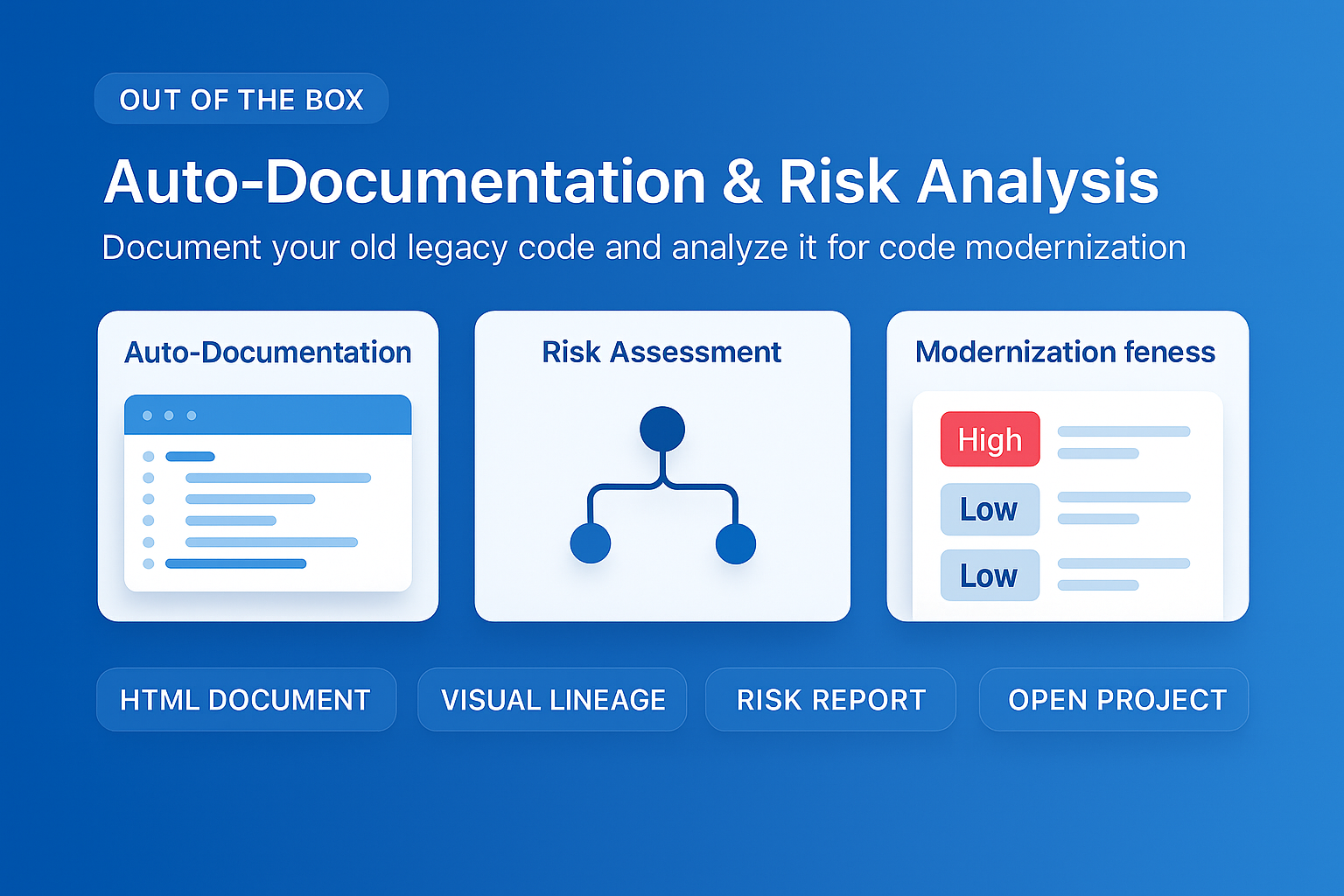
MigryX auto-documentation captures every transformation decision, creating audit-ready migration records automatically
How MigryX Handles the Hard Parts of SAS Migration
Every SAS shop has code that makes migration teams nervous — deeply nested macros that generate dynamic code, DATA step merge logic with complex BY-group processing, hash object lookups, RETAIN statements that carry state across rows, and PROC IML matrix operations. These are exactly the constructs where MigryX excels. Its combination of deterministic AST parsing and Merlin AI means even the most complex SAS patterns are converted accurately.
Real-Time Capabilities That SAS Cannot Deliver
Perhaps the most strategically important advantage of the lakehouse over SAS is real-time processing. SAS was built for batch analytics. The entire architecture -- read a file, process it, write a file -- assumes data at rest. The lakehouse supports data in motion.
Streaming Analytics
Delta Lake and Iceberg tables can be written to by streaming processes and read by batch queries simultaneously. A fraud detection model can score transactions in real time using Structured Streaming, writing results to a Delta table that a compliance dashboard reads in batch every 15 minutes. In SAS, this would require two entirely separate systems -- a real-time scoring engine and a batch reporting environment -- with data synchronization between them.
Change Data Capture
Delta Lake's Change Data Feed and Iceberg's incremental reads allow downstream processes to consume only the rows that changed since the last read. A SAS batch job that processes an entire table nightly because it cannot identify changes becomes a lakehouse pipeline that processes only the delta -- reducing processing time from hours to minutes and compute costs proportionally.
Materialized Views and Live Tables
Databricks Delta Live Tables and similar features allow transformations to run continuously, maintaining always-current output tables as source data changes. A SAS report that shows yesterday's data because it runs as a nightly batch job becomes a lakehouse dashboard showing current data, updated automatically as source systems change.
Planning the Migration
Migrating SAS workloads into a lakehouse requires a structured approach:
- Inventory and classify. Catalog every SAS program, dataset, and scheduled job. Classify each as batch transformation (migrates to dbt or PySpark), statistical analysis (migrates to Python notebooks), reporting (migrates to BI tools connected to lakehouse), or candidate for real-time conversion.
- Design the medallion architecture. Map SAS libraries and datasets to bronze, silver, and gold layers. Define the schema, partitioning strategy, and retention policy for each table.
- Migrate data first. Load SAS datasets into the bronze layer. Validate completeness. This gives the team a working lakehouse environment to test against before migrating code.
- Migrate code in waves. Convert SAS programs to dbt models, PySpark scripts, and Python notebooks in priority order. Validate each wave against SAS outputs before proceeding to the next.
- Establish governance. Configure the data catalog, access controls, and lineage tracking. This is the time to formalize the governance practices that the SAS environment lacked.
- Enable real-time. Once batch workloads are stable in the lakehouse, identify candidates for streaming conversion. Start with the highest-value use cases -- fraud detection, operational dashboards, inventory management -- where real-time data creates measurable business impact.
The modern lakehouse is not just a replacement for SAS. It is a fundamentally more capable platform that unifies batch and streaming, structured and unstructured, transformation and analytics, governance and self-service. For organizations with significant SAS investments, the lakehouse represents the most forward-looking migration target available -- one that will serve as the foundation for data strategy for the next decade and beyond.
Why Every SAS Migration Needs MigryX
The challenges described throughout this article are exactly what MigryX was built to solve. Here is how MigryX transforms this process:
- Complete SAS coverage: MigryX handles every SAS construct — DATA steps, PROC SQL, macros, formats, hash objects, arrays, ODS, and 20+ PROCs.
- 4-8x faster than manual: What takes consulting teams months of manual conversion, MigryX accomplishes in weeks with higher accuracy.
- 60-85% cost reduction: Enterprises report dramatic cost savings compared to manual migration approaches.
- Production-ready output: MigryX generates clean, idiomatic Python, PySpark, Snowpark, or SQL — not rough drafts that need extensive rework.
MigryX combines precision AST parsing with Merlin AI to deliver 99% accurate, production-ready migration — turning what used to be a multi-year manual effort into a streamlined, validated process. See it in action.
Ready to modernize your legacy code?
See how MigryX automates migration with precision, speed, and trust.
Schedule a Demo